
Within your MailBig hosting control panel, there are two distinct types of limits you should monitor to ensure your service runs smoothly.
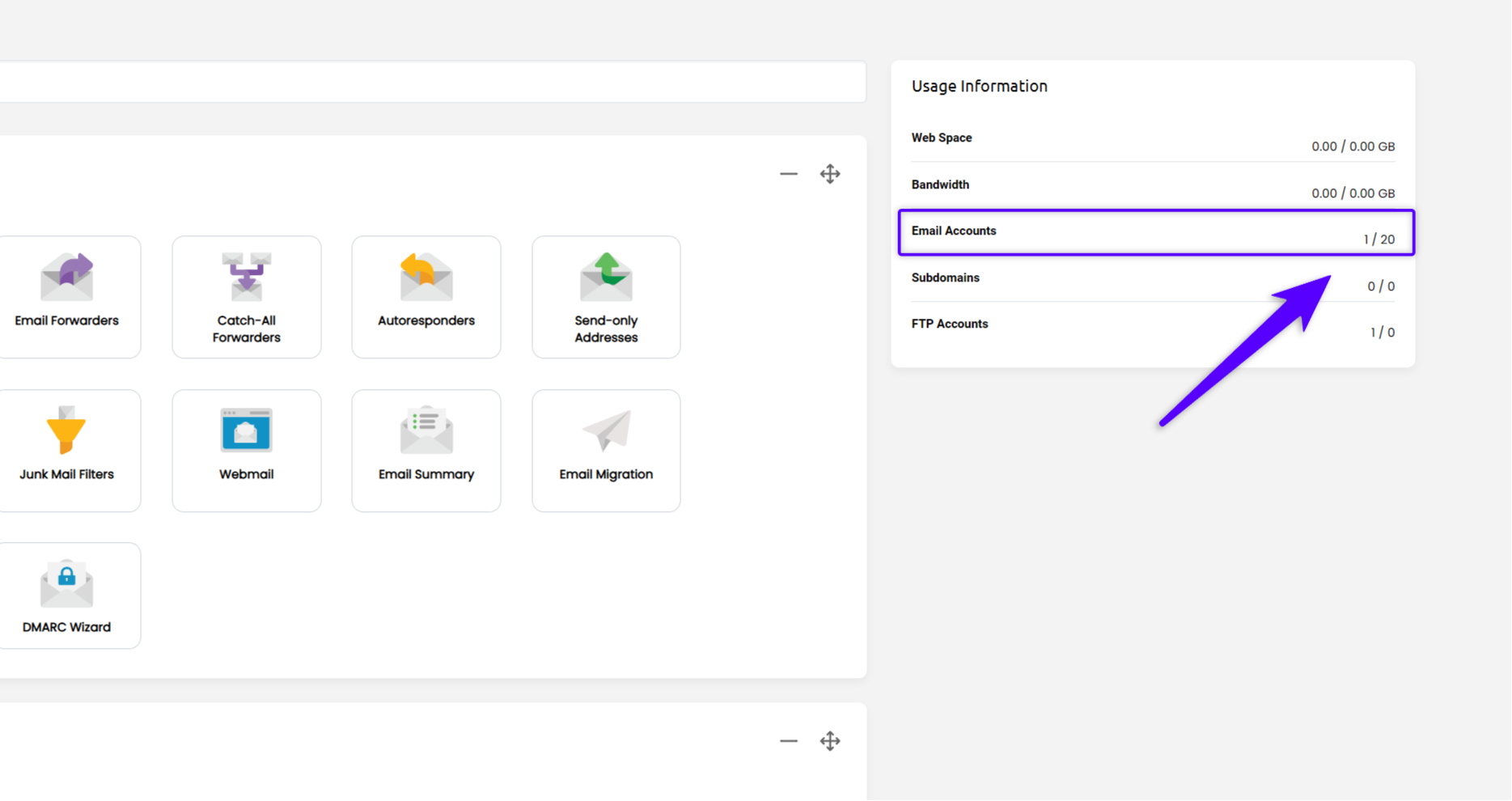
1. Number of Email Users (Plan Limit) #
This indicates the total number of email accounts you are permitted to create under your current hosting subscription.
- Where to find it: You can view your current usage versus your total allowed accounts in the widget located on the right side of your email hosting control panel dashboard.
- Refer to the attached screenshot for the specific location.
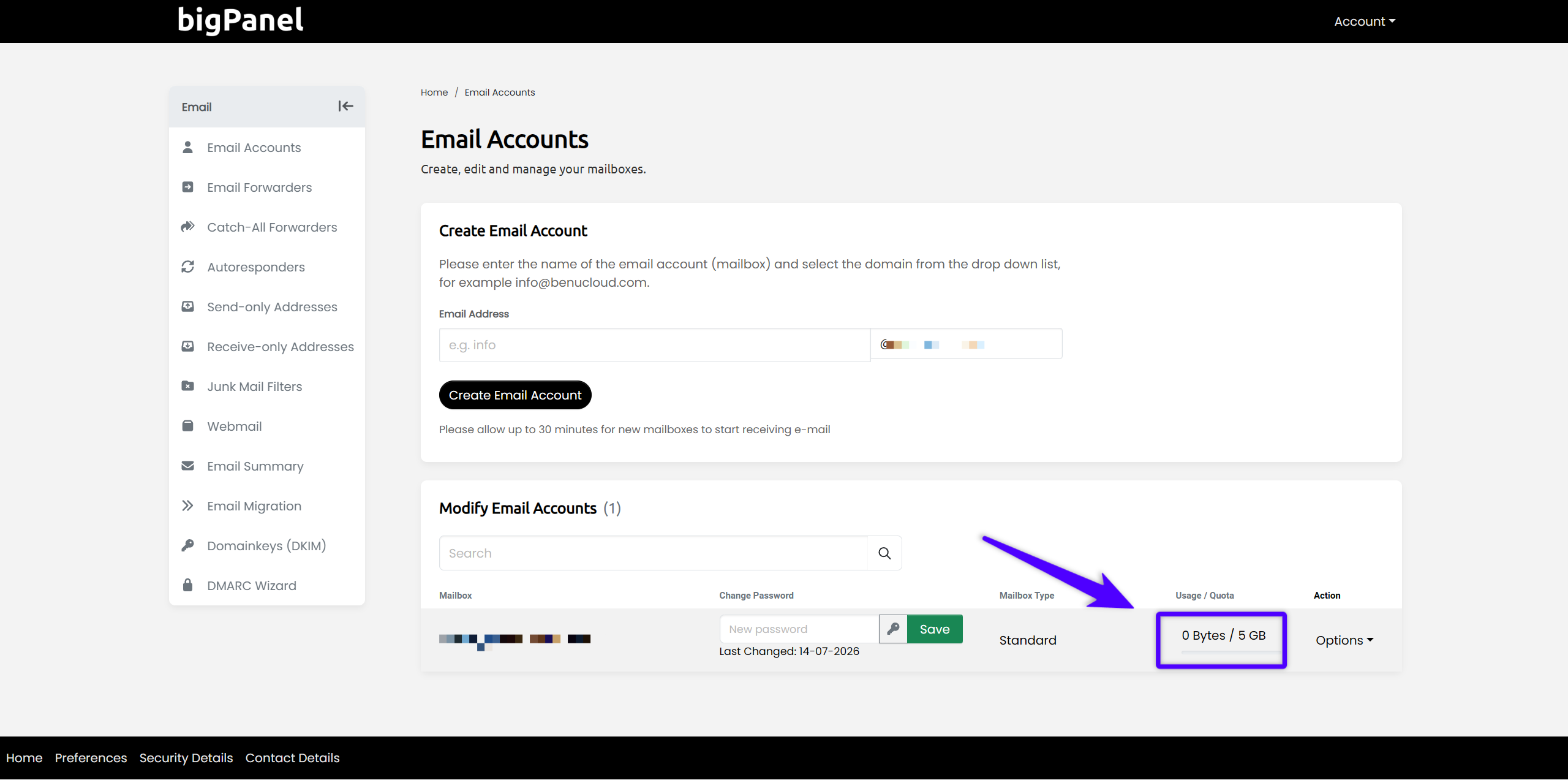
2. Storage Allocation per Mailbox #
This refers to the maximum amount of disk space assigned to an individual email address. This is the storage limit for that specific account’s messages and attachments.
- Where to find it: Navigate to Home / Email Accounts. Here, you will see a list of your created accounts along with their specific storage configurations.
- Refer to the attached screenshot for the specific location.
If you find that you need more users or additional storage space for your mailboxes, please check your plan details or contact support to discuss an upgrade.


